![[C][OPEN SOURCE] FPS MENU V2](https://dunb17ur4ymx4.cloudfront.net/packages/images/95ffba9a3b643ef0570f0a41046583f77e42de14.png)
Description
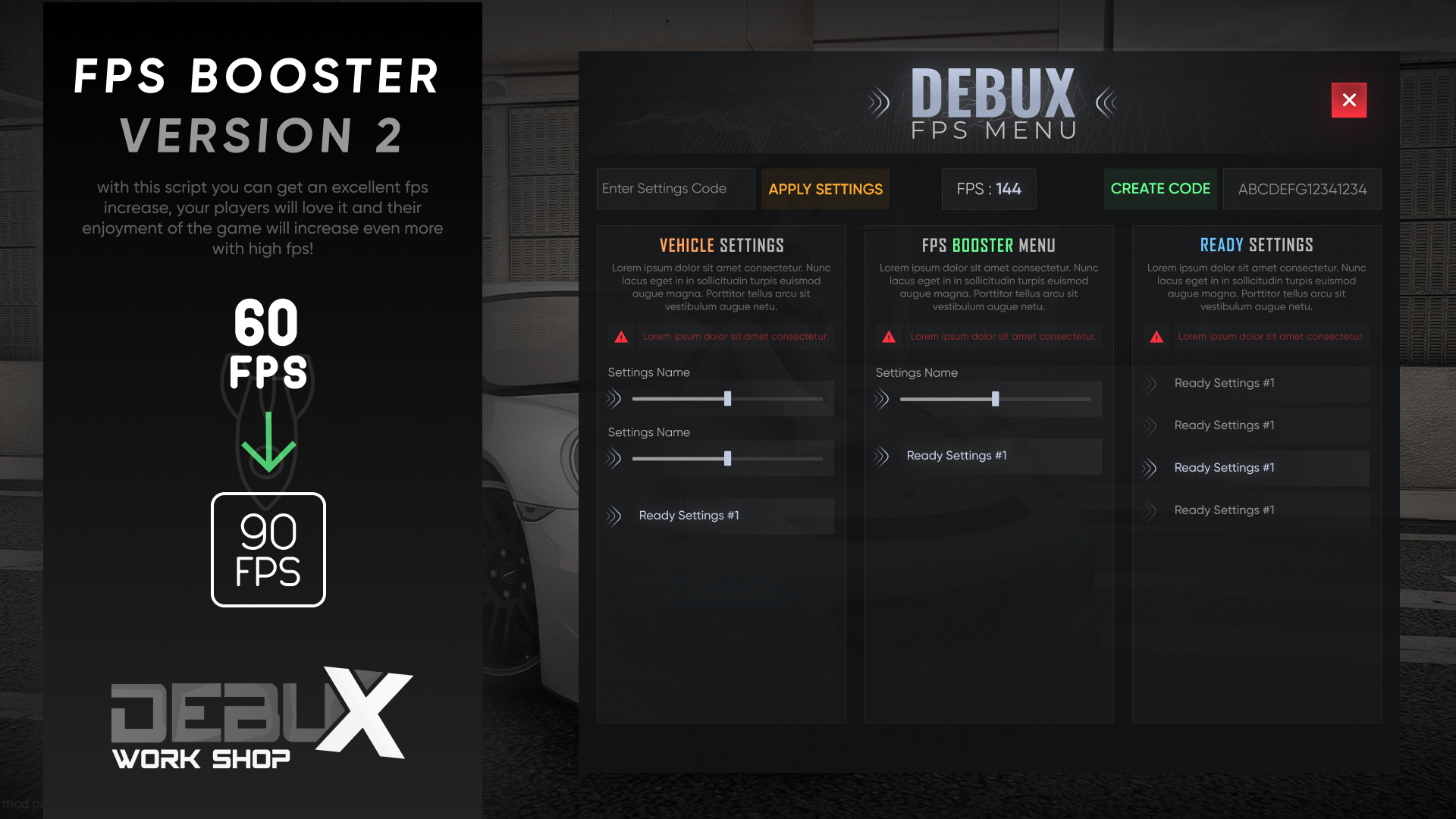
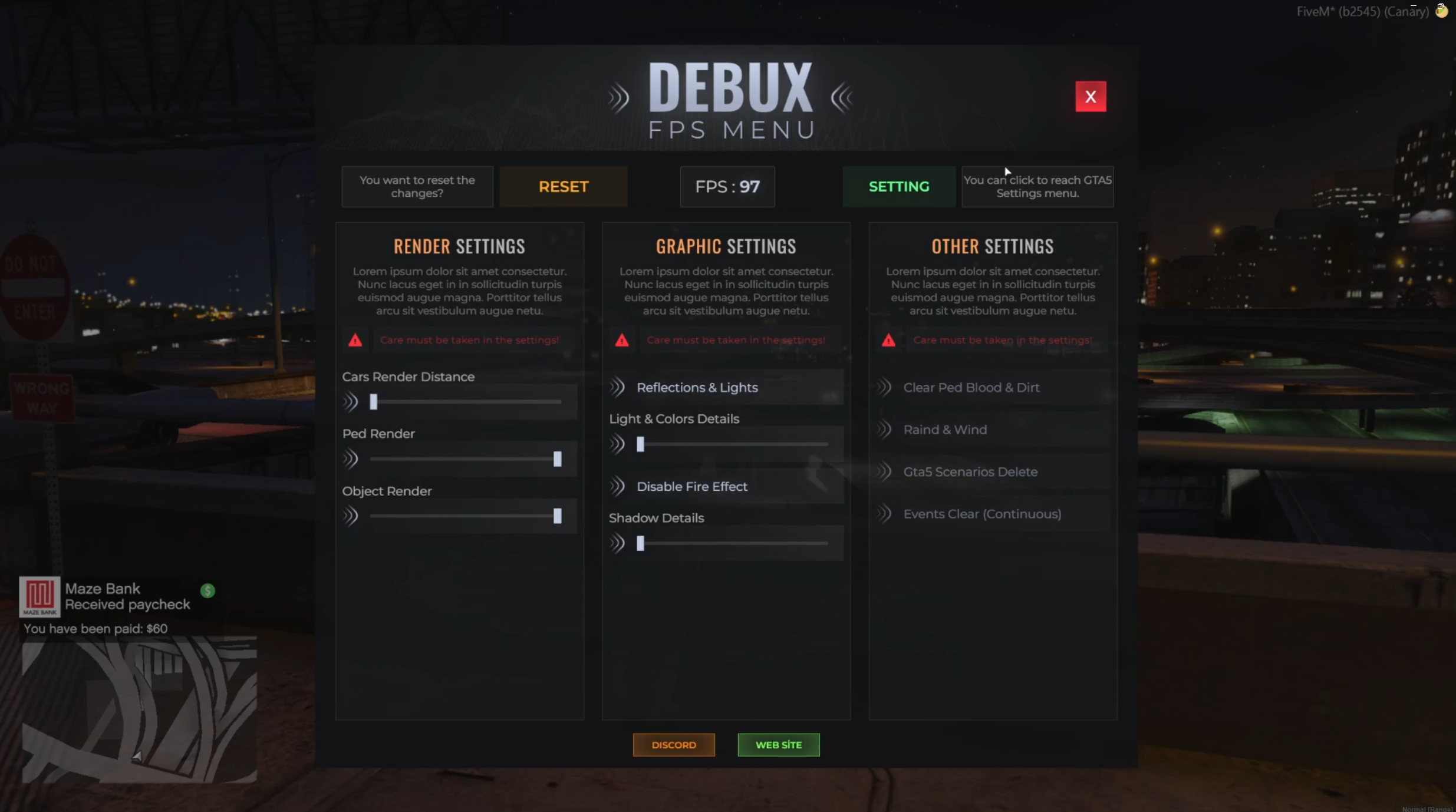
Introducing the FPS Menu – a powerful and intuitive menu system designed to give players full control over their FPS (Frames Per Second) settings and performance. This menu allows players to monitor and adjust various settings related to game performance, ensuring a smooth and optimized experience on your server.
With the FPS Menu, players can easily toggle settings such as FPS display, graphics settings, and performance optimizations. It offers a clean and user-friendly interface, making it accessible to both beginners and advanced users.
Whether you're hosting a competitive server or simply want to enhance the user experience, the FPS Menu is an essential tool for ensuring that all players can play smoothly and comfortably.
Key Features:
✅ Graphics Settings – Adjust graphical quality to improve FPS or enhance visuals, depending on player preference
✅ Performance Optimizations – Modify various settings to boost game performance on lower-end systems
✅ Clean and Intuitive Interface – Easy-to-use menu for players of all skill levels
✅ Customizable Display – Personalize how the FPS is displayed on the screen
✅ Real-Time Performance Monitoring
Perfect for servers looking to provide players with a smooth and responsive experience while also offering the ability to optimize performance.


![[A][OPEN SOURCE] Pet Shop and Pet Script](https://dunb17ur4ymx4.cloudfront.net/packages/images/4ad12a84e419d291b3a44dbcf03161b3de54b59f.png)
![[C][OPEN SOURCE] Boss Menu & Gang Menu](https://dunb17ur4ymx4.cloudfront.net/packages/images/d25631c8d495edd9af305d62a34b903f70df1fdd.png)
![[C][ESCROW] Announce Menu Rework](https://dunb17ur4ymx4.cloudfront.net/packages/images/69144b0f7ee42debfa62fdba72d1efcbba097d13.png)